
How to Fix Alibarbar Rechargeable Vape Not Charging
You plug your Alibarbar in after a long day, expecting that little charging light to kick on… and nothing. No blink. No screen. No vapour. Just dead silence.
If you’re sitting there wondering whether your vape is cooked, relax for a sec. This happens way more often than people think. After years behind vape counters and repairing disposable-style devices across Australia, I can tell you straight — roughly 80% of Alibarbar charging problems are fixable at home without binning the device.
The three biggest culprits?
- Dodgy Type-C cables or fast chargers
- Pocket lint jammed into the charging port
- The battery dropping into deep discharge sleep mode
Most of the time, your vape isn’t actually dead. It’s just refusing to charge properly because the protection circuit is doing its job.
The Quick Fixes: 3 Blunders We All Make
1. Your Phone Charger Might Actually Be the Problem
This catches heaps of Aussie vapers out.
Modern phone chargers — especially MacBook bricks, Samsung Super Fast Charging blocks, and newer USB-C PD chargers — can push 9V, 12V, or even higher voltage protocols. Most rechargeable Alibarbar devices are designed around a much gentler 5V/1A charging input.
When the voltage negotiation fails, the vape’s tiny charging IC can refuse power completely. In worse cases, repeated fast-charging can stress or fry the internal lithium cell.
Meet Dave from Melbourne. He bought an Alibarbar Upload 25000 and plugged it into his MacBook USB-C charger overnight. Next morning? Dead as a doornail. No charging light, no puff counter, nothing. Turns out the vape protection board had tripped after repeated high-voltage handshakes. We switched him to a basic 5V/1A wall adapter, left it plugged in for 20 minutes, and the screen suddenly woke back up.
Best move: Use an old-school low power USB wall adapter. The boring cheap ones are often safer for disposable-style rechargeable vapes than expensive fast chargers.
| Charging Setup | Safe For Alibarbar? | Why |
|---|---|---|
| 5V/1A USB Charger | Yes | Stable low-voltage charging |
| Laptop USB Port | Usually | Lower output and safer current |
| MacBook USB-C Fast Charger | Risky | High voltage negotiation issues |
| Cheap Petrol Station Cable | Hit or miss | Some cables only carry power poorly |
2. Pocket Lint Inside the Type-C Port
This one sounds silly until you see how common it is.
If your Alibarbar lives in your jeans pocket, backpack, ute console, or hoodie, fluff and lint slowly compact inside the Type-C port. Eventually the charging pins stop making proper contact.
The result?
- Charging light flashes then cuts out
- Cable feels loose
- Device only charges if held at a weird angle
- No charging response at all
Grab a torch and look inside the port. You’ll often see a grey carpet of compacted fluff.
Use a wooden toothpick or soft plastic pick — never metal — and gently scrape the lint out. Finish with a blast of compressed air if you’ve got it.
Do not jam a metal paperclip into the port. One slip can short the charging pins and permanently kill the board.
3. Temperature Lockout Is Real
Lithium batteries hate extreme temperatures.
If your vape has been sitting in a freezing car during a Victorian winter morning, or you’ve chain-vaped it hard in Queensland heat, the internal battery protection may temporarily block charging.
Most Alibarbar rechargeable devices have a basic thermal cutoff built into the board.
- Too cold = charging disabled
- Too hot = charging disabled
Let the device rest indoors for 20–30 minutes before plugging it back in.
Deep Dive: Troubleshooting Alibarbar Hardware
1. Decoding the Indicator Lights
Different Alibarbar models vary slightly, but these patterns are extremely common across Upload and high-puff rechargeable ranges.
| Light Behaviour | Usually Means |
|---|---|
| Flashes 3 times | Low voltage protection or flat battery |
| Flashes 5 times | Short circuit or sensor issue |
| Solid light while charging | Charging normally |
| No light at all | Deep discharge, bad cable, or failed board |
| Screen on but percentage frozen | Battery calibration glitch |
Those flash codes are actually useful. They’re the device trying to tell you what the protection board is seeing internally.
2. Condensation and E-Liquid Gunk Under the Airflow Sensor
Here’s a nasty little issue most generic guides never mention.
Alibarbar rechargeable devices pull air through tiny intake channels at the bottom. Over time, condensation and microscopic droplets of e-liquid collect around the sensor and charging area.
Eventually that moisture can bridge contacts or interfere with the auto-draw sensor.
Symptoms usually include:
- Charging cuts in and out
- Auto-fire behaviour
- Weak vapour after charging
- Blinking while inhaling
Fixing it is surprisingly simple:
- Turn the device upside down
- Use a dry cotton bud around the airflow holes
- Wrap tissue around a toothpick for tighter spots
- Leave the device upright for 30 minutes
You’d be shocked how often a “dead” vape suddenly comes back after clearing condensed liquid.
3. The “Fake Dead” Battery Wake-Up Trick
This one saves heaps of devices.
If an Alibarbar gets completely drained and then sits untouched for days, the lithium cell can enter protection sleep mode.
When that happens, plugging it in may show absolutely nothing for 15–20 minutes.
Most people assume it’s dead and unplug it too early.
Instead:
- Use a low-power 5V/1A charger
- Leave it plugged in uninterrupted
- Do not keep unplugging and retrying
- Wait at least 20 minutes before testing
The protection board sometimes needs time to slowly raise the cell voltage before the screen or LED wakes up again.
Expert-Level Tricks for Alibarbar Upload & Smart Screen Devices
1. Screen Lights Up But Battery Percentage Never Moves
This is often a calibration or animation freeze rather than genuine charging failure.
On Upload-style devices with screens, the puff counter and battery display are controlled separately from the charging logic. Sometimes the UI freezes while the battery still charges normally underneath.
Try this:
- Unplug the charger
- Take 2–3 gentle puffs
- Reconnect power
- If the device has a button, hold it for 5 seconds
That can soft-reset the display controller and refresh the battery animation.
2. Bluetooth or App Sync Can Trigger Overheat Protection
Some newer smart disposable-style devices maintain background Bluetooth communication with companion apps.
If the app process crashes or repeatedly reconnects, the main chip can heat up internally.
The battery protection system sees the temperature spike and blocks charging as a precaution.
If your Upload device feels warm while idle:
- Disconnect Bluetooth
- Close the companion app
- Let the device sit untouched for 30 minutes
- Retry charging with a standard USB setup
Safety First: When to Toss It
Not every vape should be rescued.
Sometimes the safest move is simply replacing it responsibly.
1. Bulging Battery or Serious Heat
If the device swells, gets dangerously hot, or smells chemical while charging, stop immediately.
That battery is unstable.
Do not keep “testing it one more time”.
2. Burnt Smell and Heavy Leakage
If e-liquid has flooded the internals and you’re getting a burnt electronics smell, the PCB may already be corroded.
At that point, continued charging becomes risky.
3. Never Attempt Bare-Wire Charging
You’ve probably seen dodgy TikTok videos showing people stripping red and black wires to directly charge disposable vapes.
Don’t do it.
These lithium cells are tiny, unstable when abused, and absolutely capable of thermal runaway if shorted incorrectly.
Important: In Australia, damaged lithium vape batteries should be disposed of through proper e-waste or battery recycling programmes. Never chuck swollen devices into standard household rubbish bins.
Sick of the Charging Hassle? Try These Zero-Maintenance Alternatives
If your current device is genuinely cooked — or you’re simply over carrying Type-C cables everywhere — non-rechargeable high-capacity devices are honestly a breath of fresh air.
No charging anxiety. No dead battery surprises halfway through the day.
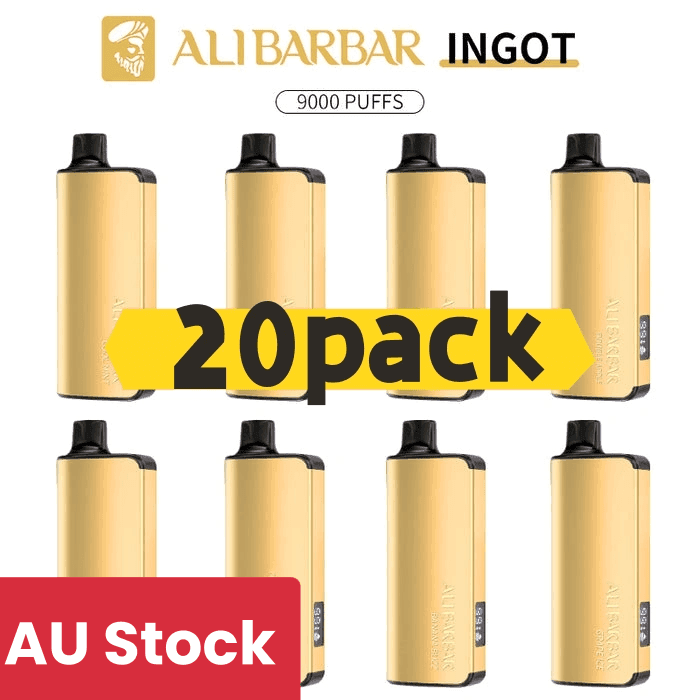
Alibarbar Ingt→
The pure non-rechargeable Ingot variant is an absolute workhorse for Aussie vapers who want simplicity.
While some Ingot versions on the market are rechargeable, the fully sealed single-use edition is the one people rave about for reliability.
- Pre-installed heavy-duty battery
- Designed so battery life matches e-liquid lifespan
- No charging port failures
- Perfect backup travel vape
Because the voltage output stays relatively stable until depletion, the flavour remains surprisingly crisp right through the final stretch.
IGET Vape→
The IGET is popular for one simple reason — it just works.
- 16ml pre-filled capacity
- Completely non-rechargeable design
- Consistent output until dry
- No charging circuits to fail
For people tired of blinking LEDs and dodgy USB ports, this thing feels refreshingly straightforward.
JNR Disposable Series→
Models like the JNR Cruiser 12K, Falcon 16K, Falcon-X 18K, and Rage Grilla 55K have exploded in popularity with vapers chasing a simple “pick up and puff” experience.
- Up to 22ml e-liquid capacity
- Fully non-rechargeable hardware options
- Stable mechanical-style draw
- No battery babysitting
They’re built for convenience first — especially handy for tradies, travellers, or anyone sick of carrying charging cables around all day.
FAQ: Alibarbar Charging Problems Answered
Why is my Alibarbar blinking but not charging?
Usually because the battery voltage is too low, the port is dirty, or the protection circuit has detected a short. Start with a different cable and clean the Type-C port properly.
Can I use my iPhone or MacBook fast charger?
You can try, but it’s not ideal. Most Alibarbar rechargeable devices behave far better on a standard 5V/1A USB charger.
How long should I leave a fully dead Alibarbar plugged in?
If the battery entered sleep mode, give it at least 15–20 minutes uninterrupted before assuming it’s dead.
Why does my Alibarbar screen turn on but not vape?
That can happen when condensation interferes with the airflow sensor or when the device firmware freezes. Clean the airflow area and attempt a soft reset.
How to Keep Your Alibarbar Charging Properly
Most charging dramas come down to stress on the battery and charging board. Treat the device gently and it’ll usually last much longer.
Use low-power chargers
Stick with stable 5V USB charging whenever possible.
Don’t run it bone dry
Lithium cells hate being fully depleted repeatedly.
Keep the port clean
Pocket lint kills charging reliability over time.
Avoid heat
Leaving vapes in hot cars absolutely shortens battery lifespan.
Most importantly, if a device starts swelling, overheating, or leaking heavily, don’t gamble with it. A replacement vape is cheaper than a lithium fire in your pocket.